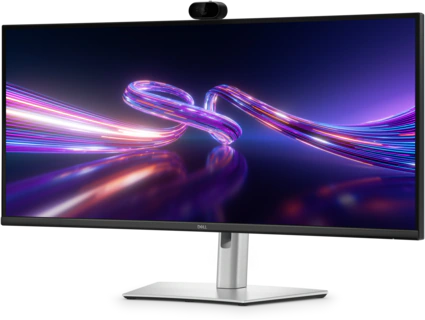
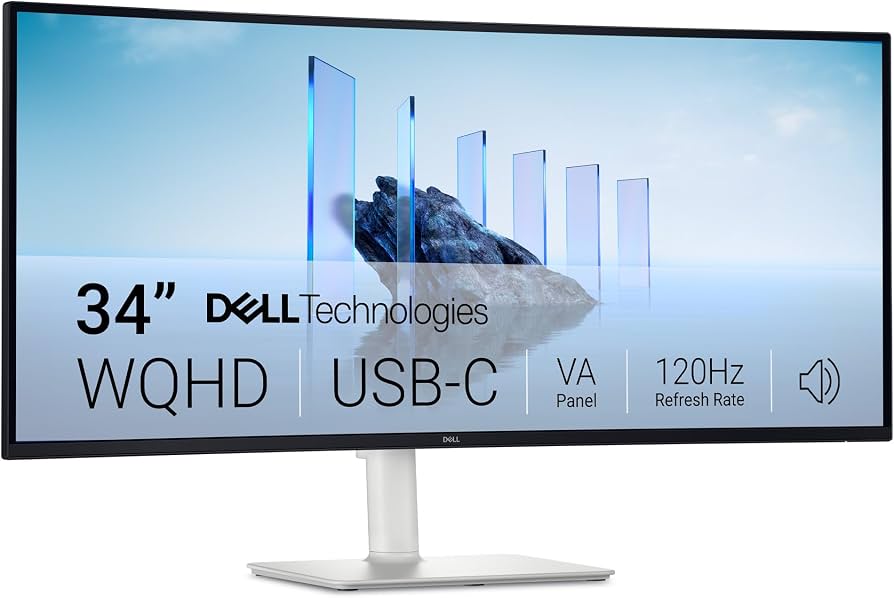
Screen size
34.1 inches
Panel IPS (In-Plane Switching)
Screen type Curved
Curvature 3800R
Resolution 3440 × 1440 WQHD / UW-QHD
Aspect ratio 21:9
Refresh rate 100 Hz
Response time 5 ms GTG Fast / 8 ms GTG
Brightness 350 cd/m²
Contrast ratio 1,500:1
Colour support 1.07 billion colours Colour gamut 99% sRGB
Pixel density 109 PPI
Pixel pitch 0.233 × 0.233 mm
Viewing angle 178° horizontal / 178° vertical Surface
Anti-glare Glass hardness 3H
Backlight LED
HDR Not listed by Dell as an HDR monitor
Eye comfort Dell ComfortView / Low Blue Light Flicker-free Yes
Picture-by-Picture Yes
Picture-in-Picture Yes
📷 Integrated Camera — YES
Integrated webcam: Yes
Camera resolution: 4 Megapixels
Integrated microphone: Yes
Windows Hello: Compatible
Designed for video conferencing
Camera is built into the monitor rather than requiring an external webcam. �
Dell +1
"Built-in 4MP Webcam with Integrated Microphone & Windows Hello"
🔊 Built-in Audio
Integrated speakers: Yes
2 × 5 W speakers
Total audio output: 10 W
Integrated microphone for conferencing. �
Dell +1
🔌 Connectivity
The P3426WEB is particularly well equipped as a USB-C hub monitor:
1 × HDMI
1 × DisplayPort 1.4
1 × USB-C upstream
DisplayPort 1.4 Alt Mode
USB 5Gbps
Up to 90 W Power Delivery
1 × USB-B upstream
2 × USB-A 5Gbps downstream
1 × USB-A 5Gbps with Battery Charging 1.2
1 × USB-C 5Gbps downstream
Up to 15 W Power Delivery
1 × RJ45 Gigabit Ethernet
Integrated USB hub
Integrated KVM switch �
Dell +1
💻 USB-C Laptop Docking
The 90 W USB-C Power Delivery is a particularly useful feature.
You can connect a compatible laptop to the monitor using one USB-C cable, providing:
Laptop → USB-C → Monitor
and the monitor can provide:
Display
USB connectivity
Network via RJ45
Webcam
Microphone
Speakers
Up to 90 W laptop charging
This makes it suitable for office desks and laptop docking setups. �
Dell
🖥️ Stand & Ergonomics
Height adjustable: 150 mm /
5.91"
Tilt: -5° to +21°
Swivel: -30° to +30°
Slant: -4° / +4°
VESA compatible
Stand included. �
Dell +1
🌐 Built-in Ethernet
It has a 1GbE RJ45 Ethernet port, so a laptop connected through USB-C can use the monitor as a network hub as well. �
Dell
📦 Cables Included
Dell lists:
Power cable
DisplayPort-to-DisplayPort cable – 1.8 m
USB-A to USB-B cable – 1.8 m
USB-C to USB-C 5Gbps, 100 W cable – 1.8 m �
 Elite Dreams